How to connect to DSS with S3
Configure S3
Create an Amazon S3 connection.
Fill regular fields Credentials, Access key, Secret key, Region / Endpoint and Switch to bucket region
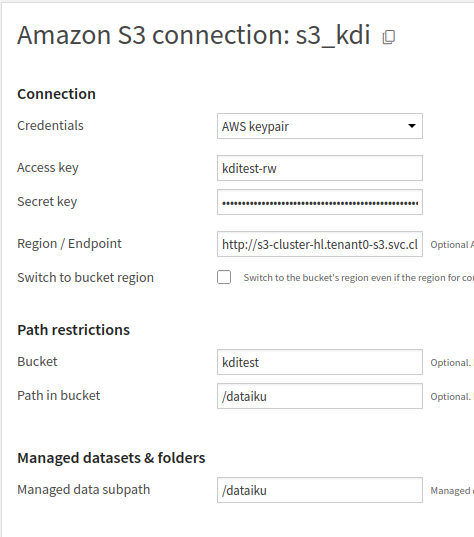
remarque
Take care:
Region / Endpointmust behttp://s3-cluster-hl.<service_name>.svc.cluster.local:9000Switch to bucket regionmust not be checked
Then, in Advanced section, check Use path style.
Minio S3 don't work exactly like Amazon S3. If you test your connection, an error will occured, it's correct.

info
Even if the error is displayed, it is now possible to create datasets